UPDATE: If you own a domain name (or can control its DNS 😬), I’ve written a new post to use Let’s Encrypt to issue certificates your devices will trust.
Up to today, I’ve been bothered by having local https websites served by Caddy, whose certificates were not trusted by macOS. Today, I rectified it.
For macOS (and Safari) to trust what Caddy deploys locally, I had to:
- Find the root certificate (if you’re using the Docker image, they’re in
/data/caddy/pki/authorities/local/root.crt). - Copy its content into, say,
caddy.pem(it’s just a name that the Keychain Access understands and that won’t clutter it with a non-informative name asroot.crt) - Double-click
caddy.pemto open it in the Keychain Access.app - Double-click the certificate name, open up the Trust “tab”, and click on “Always Trust”.
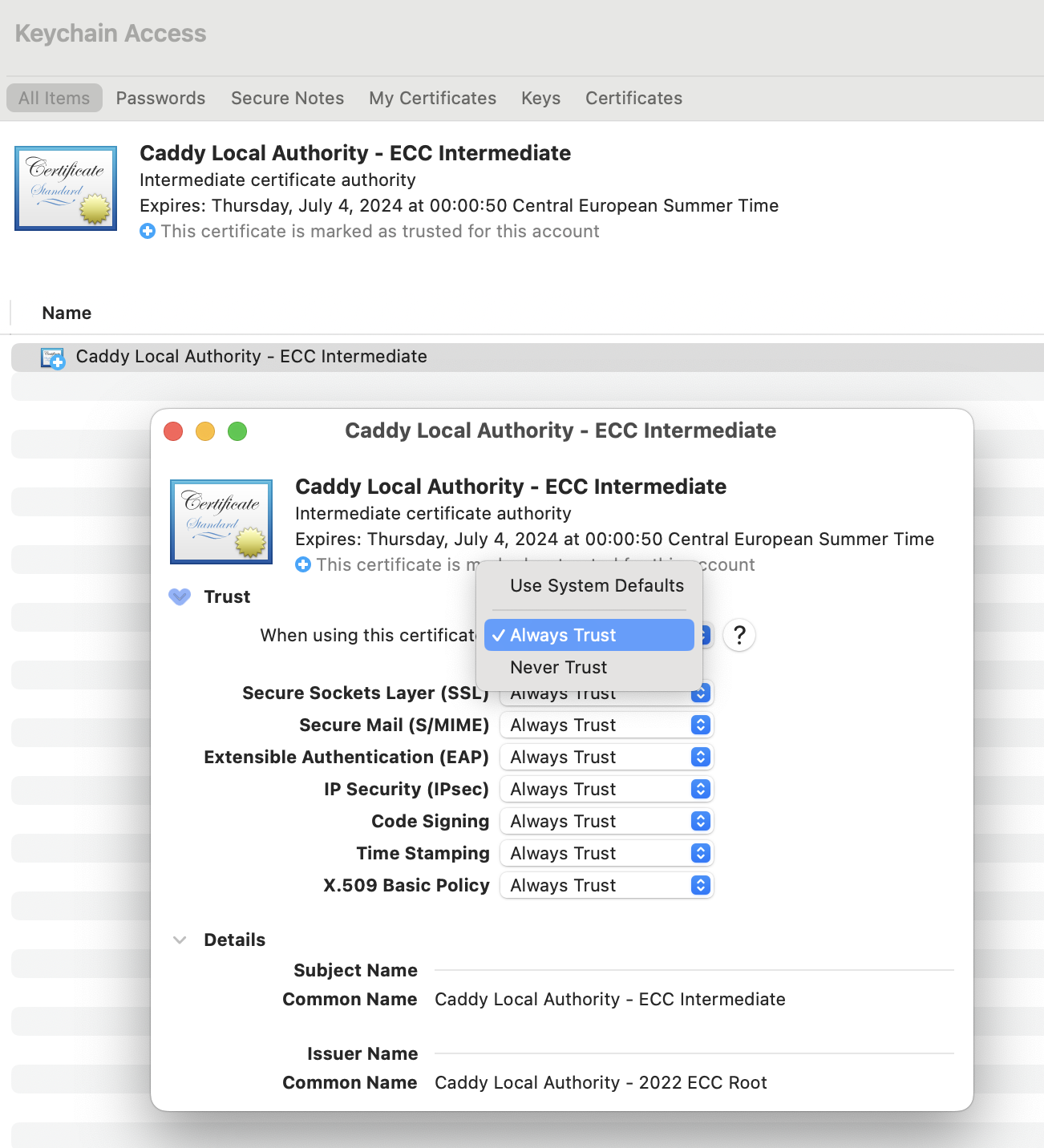
Then, all the local websites Caddy is serving will be trusted automatically.