Marked
A new shiny app by Brett Terpstra, creator of NValt. Only available at the App Store. I’ve been using it since it came out, and I have to say that I absolutely love it!
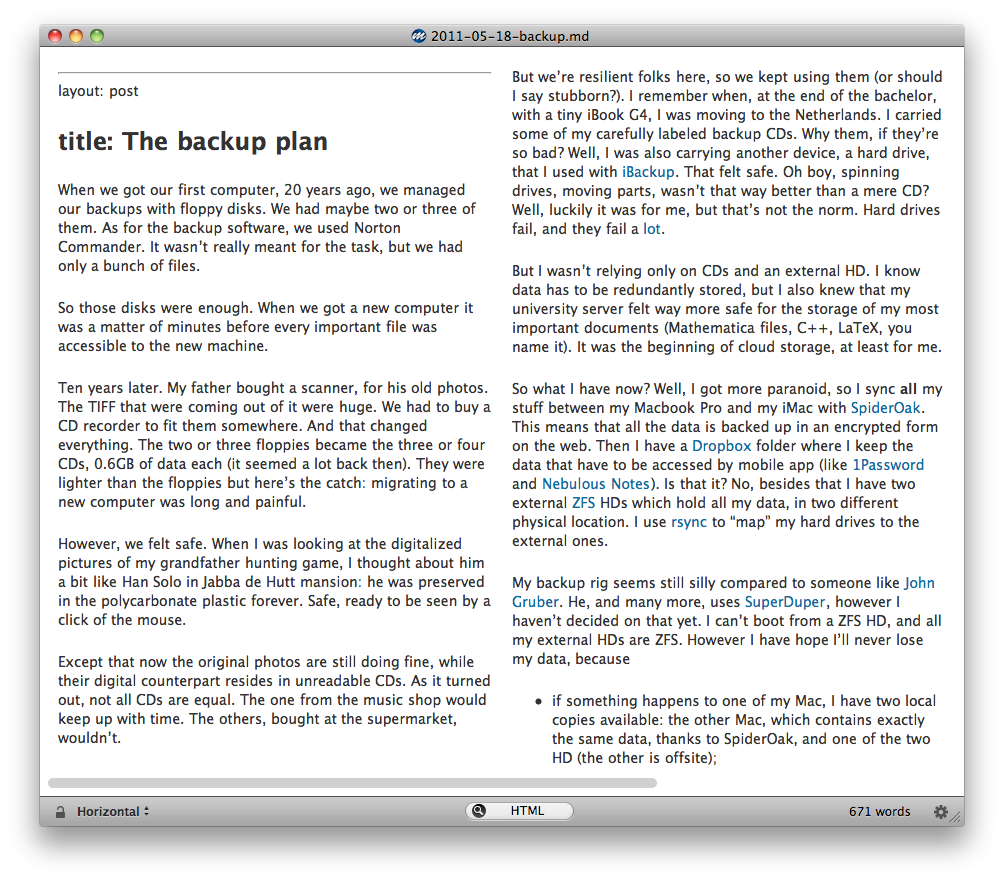
A new shiny app by Brett Terpstra, creator of NValt. Only available at the App Store. I’ve been using it since it came out, and I have to say that I absolutely love it!
Ben Brooks asks: if you would have to rebuy all of your software, which would be the order of buying? Here’s mine
So… how would I do all my writing then, including this very blog post? Emacs (part of Mac OS X as well).
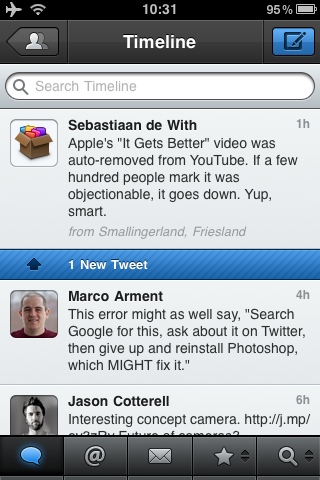
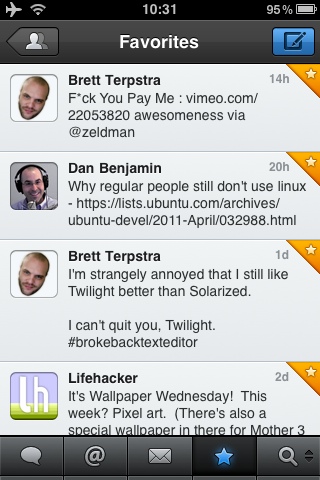
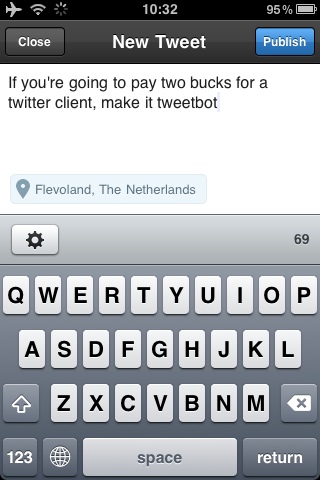
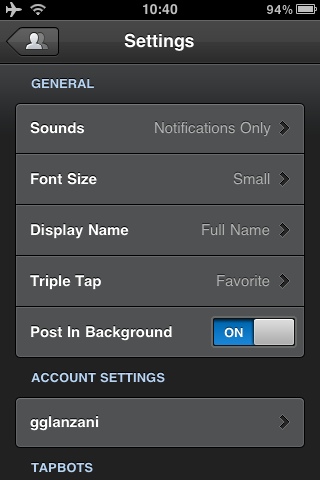
Well, the screenshots speak from themselves. Gorgeous Twitter client from tapbots. Now I long for a Mac version.
I really like Growl. It’s the kind of thing that ‘just works’, and they do it nicely. It tells me when someone send me a message when I’m not present, or updates some files in my Dropbox shared folders. Or when I receive a new Pinboard bookmark. And lot of other things. You may not like the number of notifications, but you can customize it.
The point is, the notifications go away after a certain amount of
time. They may have been important, but if I don’t read them
immediatly, they’re gone from my desktop. Luckily there’s the
Growl.log file. It is basically a file which reports any Growl
activity. To enable it, type in the terminal (change YOUR_USERNAME
with your username)
touch ~/Library/Logs/Growl.log
defaults write com.Growl.GrowlHelperApp GrowlLoggingEnabled -bool YES
defaults write com.Growl.GrowlHelperApp GrowlLogType 1
defaults write com.Growl.GrowlHelperApp "Custom log history 1" /Users/YOUR_USERNAME/Library/Logs/Growl.log
Unfortunately the way the log is ugly. So I said tried to make it
nicer with perl. The point is, I don’t know perl. I had to google
a lot, but I’m satisfied with the resulting growl.pl.
In order to use it, save it somewhere, let’s say
~/Dropbox/Scripts/growl.pl. Then from a terminal type
touch ~/Library/Logs/growl_geek.log
chmod +x ~/Dropbox/Scripts/growl.pl
Then you’re done. You may even wish to have GeekTool display the
prettified growl_geek.log. I do with the command
~/Dropbox/Scripts/growl.pl && tail -20l ~/Library/Logs/secondgrowl.log, where 20 is the number of line from
the end of the log you wish to display.
It’s time to pick up a whiteboard marker and think fresh. There are other problems/opportunities in the world that need attention, and there are other individuals I’d love to get the opportunity to work with and learn from.
Evan Williams, on his blog
If you wish to keep an offsite Time Machine backup in a place which you don’t consider safe (for me it’s my office: although I’m the only one working there, my collegues could in principle get it when I’m out), then this link is for you. It will drive you through the whole process, from creating the encrypted disk image (to an external USB HD, or someplace else), to the Time Machine preference pane configuration.
Also, now added to the places I like to visit, two for joy, in Amsterdam.
Twitter’s official iPhone app, formerly Loren Brichter’s Tweetie and an otherwise awesome client, got a lot of negative reactions from the recent addition of the Quick Bar, a mandatory trending-topics banner on top of the tweet list. A lot of people really hate it calling it the dickbar…
Marco on his blog. I guess that Loren now sees some similarities between atebits acquisition by Twitter and Faust’s deal with the devil.
I hate computers. It’s ironic, because I spend most of my time with them.
Thomas Troppenz
This is kind of a prediction, since at the time I’m writing this, Papers 2.0 is not out yet. But I think it all boils down to the 30% cut they would have to give to Apple.
The advantages of the Mac Apple Store are basically two: visibility and simplicity (to install, pay and upgrade). The disadvantages are that every upgrade has to be review and accepted, and that you lose 30% (well, probably slightly less, since every payment system will cost you something).
But Papers.app does not need visibility: it’s already well-known in academia, an environment where collaboration and information sharing (including the software used to get things done) is broadly practiced.
And Papers users are usually geek enough to not notice the easiness of the Mac App Store anyway. At least I know I am :)